
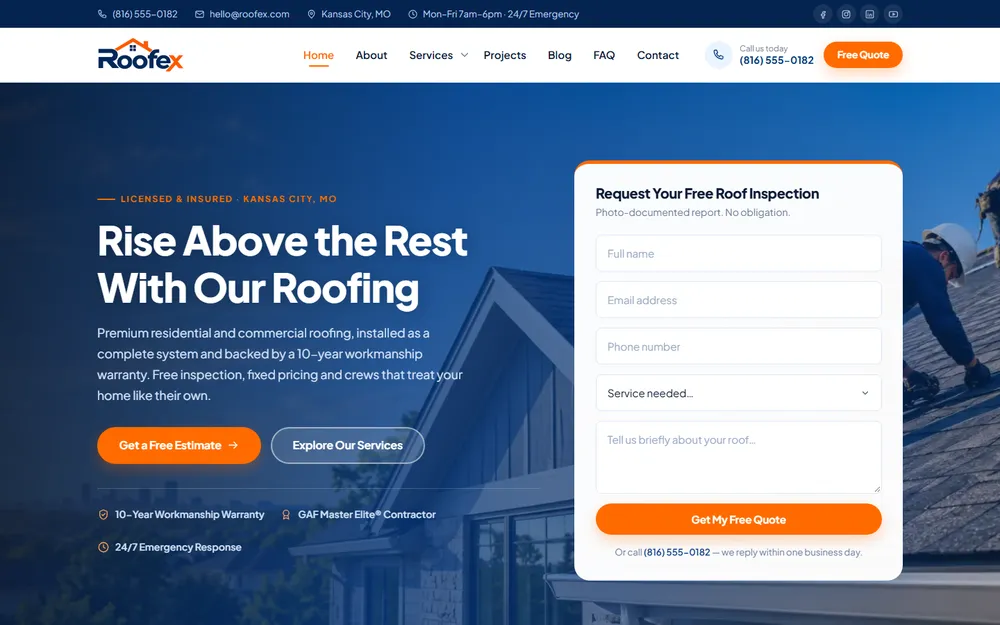
Roofing contractor
Roofex
Website design for a Kansas City roofing contractor: installation, repair and restoration.
Kansas City Web Design Pros builds restaurant websites that put the menu, your hours and the order or reserve button one tap from a hungry diner's phone. A 5 to 10 page restaurant site starts at $499, one-time, and ships in as fast as 48 hours once your menu and photos arrive. Tell us about your restaurant below and we reply within one business day.
$499 one-time build, 5 to 10 pages
20 yrs combined team experience
36 communities in Kansas & Missouri
Olathe office, Johnson County, KS
For your industry
Dishes, prices and specials live on the page as real text, not a PDF, so you change a price from your phone and diners read it without zooming.
We connect the ordering and reservation tools you already use, such as Toast, Square, OpenTable or Resy, and keep the button in the same spot on every page.
Hours, address, a tap-to-call number and parking notes sit at the top of the page and in the footer, with a map link that opens directions.
A form that asks for the date, head count and budget, so a rehearsal dinner or office lunch request arrives with what you need to quote it.
Restaurant schema marks up your cuisine, hours, price range, menu and reservation link, so search engines read them as facts instead of guessing.
Food photos are sized and compressed for phones, so the menu opens quickly on a weak signal instead of stalling on a full-size image.
A restaurant website is a phone-first page that answers four questions before a diner moves on: what is on the menu, when you are open, where you are, and how to order or book a table. Every other page on the site supports those four answers.
Diners reach a restaurant site from a Google search, a map listing or an Instagram post, usually on a phone and often while choosing between you and the place down the street. In Kansas City that choice is barbecue against barbecue, one Westport patio against another, or two taco spots on the same stretch of Metcalf. The site that answers faster gets the table. That rules out splash pages, autoplay video and menus hidden behind a download.
So Kansas City Web Design Pros builds every restaurant site on the same spine: the menu as real text, hours that match your Google Business Profile, a tap-to-call number, a map link with parking notes, and one order or reserve button that sits in the same place on every page.
A full-service restaurant website is built around reservations and private dining, a counter-service site around online ordering, a food truck site around this week’s locations, and a catering site around a quote request. The format decides the pages and the main button, not the cuisine.
| Restaurant type | Pages the website needs | Main button |
|---|---|---|
| Full-service dining room | Menu, drinks, reservations, private dining, hours and location | Reserve a table |
| Counter service and takeout | Menu, online ordering, hours, catering trays | Order online |
| Food truck | Weekly location schedule, menu, private event booking | Find us this week |
| Catering company | Packages, sample menus, event gallery, inquiry form | Request a catering quote |
| Bar, brewery or taproom | Food and drink menus, events calendar, private rentals | See what is on tonight |
Blended formats get every path they use. A barbecue joint that also runs a food truck and caters weddings needs all three, each with its own page, and a homepage that sends each visitor to the right one in a single tap.
The split matters because a restaurant website is organized around a menu and a table. A home-service business works the other way round, with a short list of services, more proof of trust and a quote form where the menu would be. That is the structure behind our web design for cleaning services, and it is the wrong one for a restaurant.
A restaurant website costs $499 for 5 to 10 pages, one-time, which covers a single-location restaurant with one menu. A 20 to 25 page site starts at $999, and around 50 pages starts at $1,499, for groups running several locations or several menus. There is no monthly contract on any of them.
Page count moves the price, not the cuisine. A single dining room typically needs 8 pages: home, food menu, drinks, about, private events, catering, hours and location, and contact. That sits inside the $499 tier. A group with 3 locations, each with its own hours, menu differences and order link, plus a shared catering section, lands between 15 and 25 pages and in the $999 tier.
Connecting the online ordering and reservation tools you already use is part of planning the build, and the final figure is confirmed on the free strategy call before anything is agreed. A restaurant that wants to sell gift cards, sauces or merchandise online is adding an online store, which is priced on that same call. Every build includes free lifetime support, and the 48-hour delivery on sites up to 10 pages starts when your menu, hours, logo and photos arrive.
No. A PDF menu makes a diner download a file and pinch-zoom on a phone, and it goes stale because every price change means editing a document. A menu written as text on the page loads faster, reads on any screen and updates from your phone.
Text menus also do work a PDF does poorly. Dish names written on the page give search engines something to match when someone looks for burnt ends, gluten-free brunch or late-night tacos. Dietary labels such as vegetarian, gluten-free and contains nuts sit next to each dish instead of in a footnote. Screen readers read a text menu aloud, which an untagged PDF blocks.
Keep a PDF where it earns its place: a printable catering packet or a banquet menu that event planners pass around the office. The everyday food and drink menus belong on the page.
Yes. Delivery apps and a Google Business Profile are listings a restaurant rents, while a website is the one channel it owns, and it is where direct orders, reservations, catering inquiries and the full menu live without a marketplace in the middle.
The apps are worth keeping for reach. The website is where you keep everything you do not want to share. Here is how an order placed through your own site compares with one placed through a delivery app:
| Question | Order through your website | Order through a delivery app |
|---|---|---|
| Fee on each order | Payment processing and your ordering provider’s fee | A marketplace commission on top of processing |
| Customer name and email | Yours, for your own list | Held by the app |
| What sits beside your menu | Nothing but your restaurant | Competing restaurants in the same app |
| Private events and large parties | An inquiry form built for them | Outside what a delivery app handles |
| Menu, photos and prices | You control all three | Set inside the app’s format |
Google works the same way. Your Business Profile has fields for a website, a menu link and an order link, and each one points somewhere. The website gives those links a destination you control, so a diner who taps Order on Google reaches your ordering page rather than a third party’s.
A restaurant website redesign keeps what diners and Google already rely on, the domain, the menu address and every printed QR code, and rebuilds everything around them, from a text menu to a single order button. Kansas City Web Design Pros works through it in this order:
Step 2 is the easiest to skip. A table tent printed two years ago still sends diners to the old menu address, and without the redirect in step 5 it lands on an error page at the exact moment someone is trying to order.
No. A restaurant with two or more locations needs one website with a page for each location, and each page carries its own address, hours, phone number, menu differences and order link.
One domain builds its reputation once instead of splitting it across two sites that compete with each other. Each location keeps its own Google Business Profile, and each profile links to its own location page rather than the homepage, so a diner looking at the second location sees the right hours. Shared material, such as your story, the core menu and catering, lives on one page that every location links to.
This matters in a metro that spans two states. A group with one room in eastern Jackson County and another in the Northland is serving two different sets of neighborhoods, and each location page has to read that way. Kansas City Web Design Pros serves 36 communities on both sides of State Line, and our pages on web design in Blue Springs and web design in Riverside cover building for two of them.
Our work
Click a project to open its live website in a desktop, laptop, tablet or phone frame.
Website design for a Kansas City roofing contractor: installation, repair and restoration.
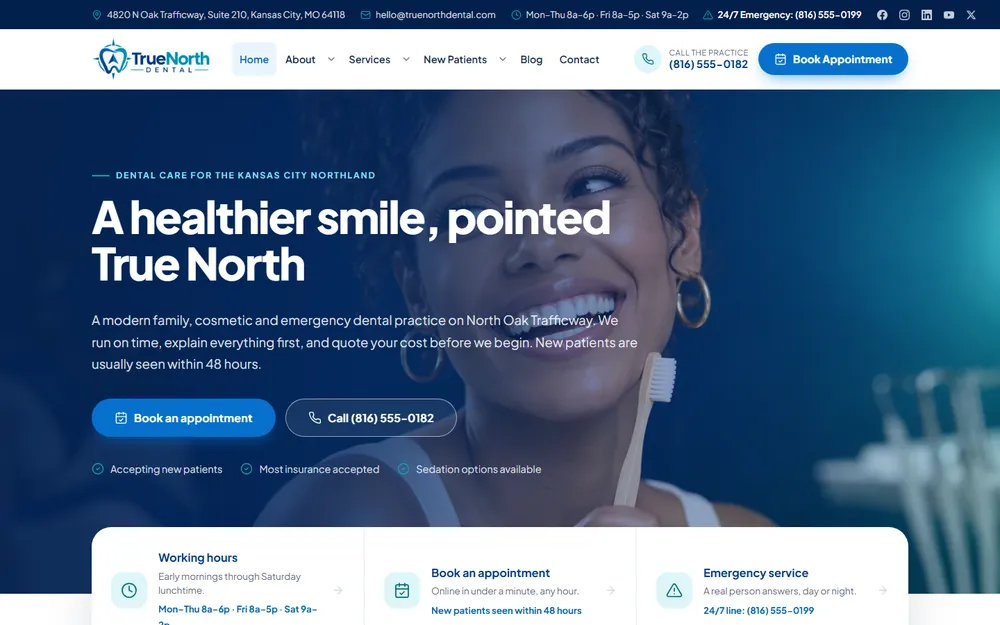
Website design for a Kansas City family and cosmetic dental practice.
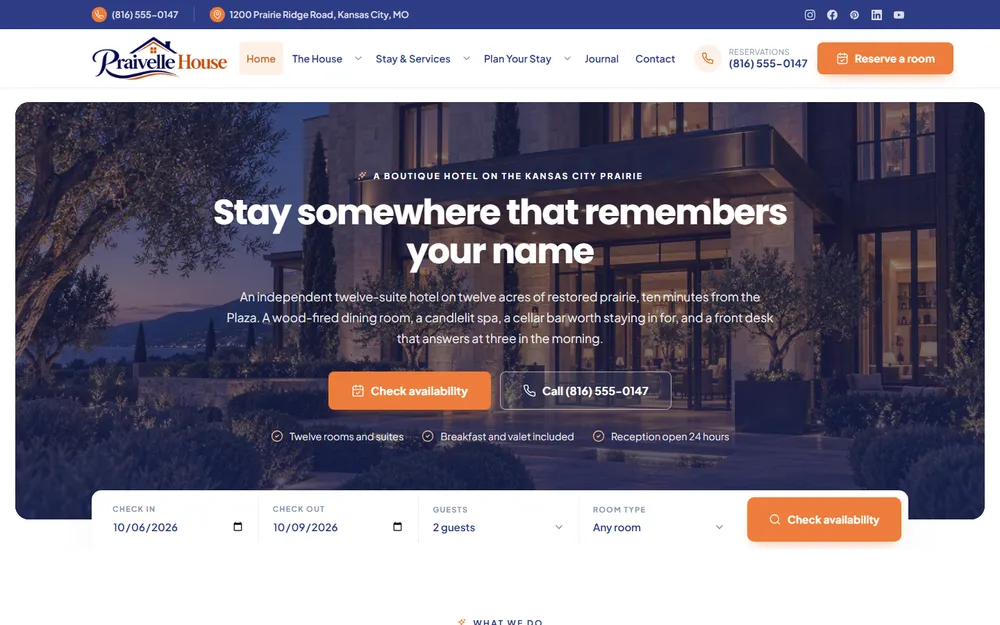
Website design for a Kansas City boutique hotel, spa and restaurant.
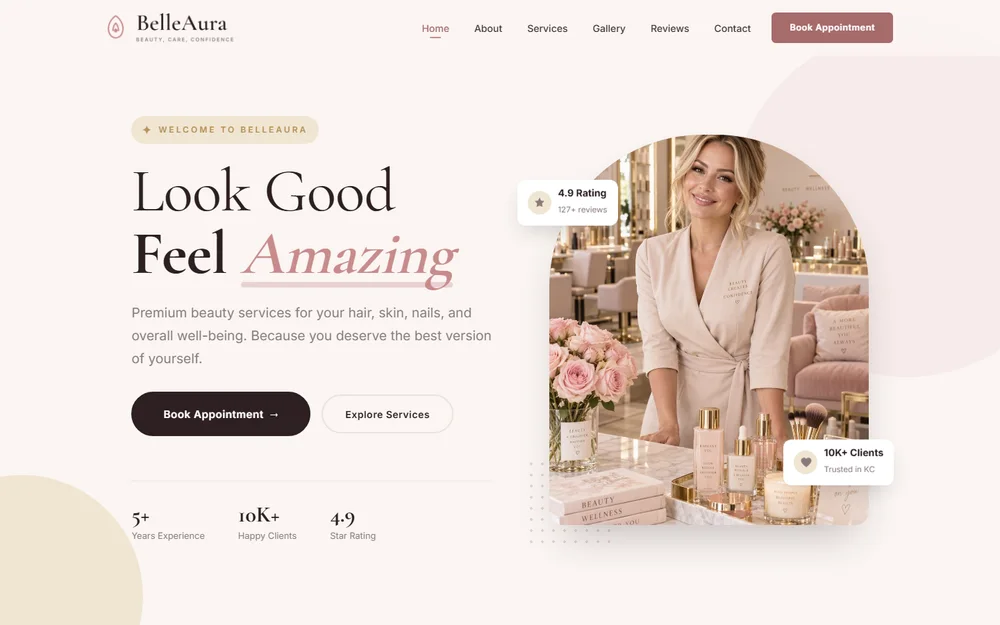
Website design for a Kansas City beauty salon: hair styling, facials, nail care, makeup and spa treatments.
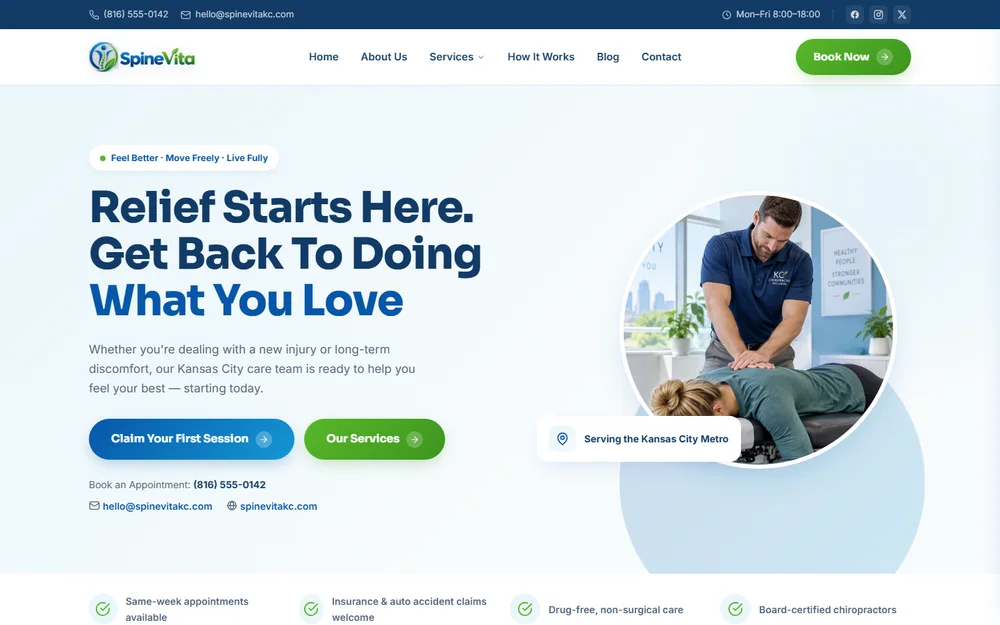
Website design for a Kansas City chiropractic clinic: injury care, sciatica relief, sports rehab and spinal decompression.
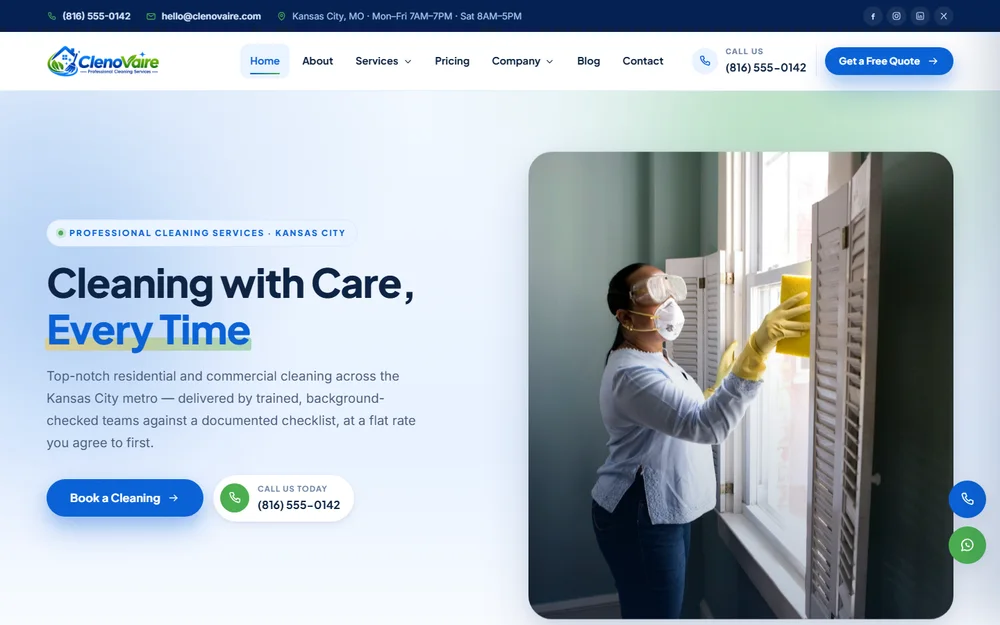
Website design for a Kansas City cleaning company: house cleaning, deep cleans, move-in and move-out, post-construction and carpet care.
From our Olathe office
No account managers and no hand-offs. The founders you speak with on the first call stay on your project through launch, working alongside our design team.

Fredrick Francises
Fredrick runs client projects from the first call to launch day. He is the person most of our Google reviewers mention by name.

Bikash Roy
Bikash designs the websites and runs the search side for Kansas City businesses. He has eight years in web design and SEO, and builds sites that load fast on a phone and show up when customers search Google.
Reviews from Google
Every quote below is copied word for word from our Google Business Profile.
5.0 12 Google reviews
Your website has to function optimally, and Fredrick and the team at KCWDP don't leave anything to chance. Thorough, professional, dependable work every time, we're developing our third project together now.
 Matthew DunehooGoogle review
He has shown a unique ability to understand my business model quickly and help us build a strategy to grow with speed and precision. He's a great listener and has tremendous vision and follow through.
 Aric H.Google review
The creative vision this team brought to my project completely exceeded my expectations. They didn't just build a website; they captured the brand perfectly with a fresh, stunning design.
Fredrick was very knowledgeable and was able to fix some IT issues we were having, as well as put better securities in place to protect our systems. His communication was great and very prompt with his work.
 Jenn ChismGoogle review
They work closely with you to ensure you're getting the best possible service and really help you turn your ideas into reality. The end product looked gorgeous, performed perfectly and was very responsive.
 Vlad RaduGoogle review
I had an amazing experience working with Fredrick! He was extremely quick to respond, professional, and very helpful throughout the entire process of building my website.
Right off the bat you feel like you're not a client but a friend. The knowledge and creativity they have at their disposal seems neverending.
 Joshua WestonGoogle review
They were fast, friendly and explained everything very clearly to meet my needs. Will definitely be using them again!
Fredrick and his team were professional and the work was done quickly and looks great!
 Sir AustinGoogle review
Fredrick and his team went above and beyond, truly care and I am so grateful to have stumbled across them!
 Nicholas V. LoScalzoGoogle review
Kansas City Web Design Pros knew exactly what my project needed to go to the next level.
 Bethany HackmannGoogle review
Delivered a modern, responsive website that perfectly captures our brand.
 GbgGoogle review
12 Google reviews, rated 5.0 out of 5. Read them all on Google
Straight answers
Yes. On a WordPress build the menu is text you edit from a phone or laptop: change a price, add a weekly special or mark a dish sold out. Free lifetime support covers any change you would rather send to us.
Yes. We connect the ordering system you already use, such as Toast, Square or ChowNow, to an order button on every page, so direct orders reach you without a delivery marketplace commission.
Yes. The reservation tool you use, such as OpenTable, Resy or Tock, goes on the site as a button or an embedded booking widget, and a separate form handles private dining and large-party requests.
48 hours for a 5 to 10 page site, counted from when your menu, hours, logo and photos arrive. Larger restaurant groups get a written timeline before the build starts.
No. Photography is not a service Kansas City Web Design Pros sells. We use the photos you supply, size and compress them so they load fast on a phone, and hold clearly marked placeholders until professional shots are ready.
Yes. A food truck website is built around a weekly location schedule you update yourself, and a catering website around packages, sample menus and a quote request form that asks for the date, head count and budget.
Kansas City Web Design Pros (KC Web Design Pros) is a web design and SEO company at 12232 S Blackfoot Dr, Olathe, KS 66062, serving the Kansas City Metro across 36 communities in Kansas and Missouri. Call (913) 448-1315 (+1-913-448-1315) or use the form above. Open Monday through Saturday, 9 AM to 5 PM. Closed Sunday.